Turn a premise into short episodes with sharp hooks and cliffhangers. Develop the draft yourself or assign it to a writer, then prepare a pitch for a microdrama producer.
Workflow preview. Idea-to-draft, advanced revisions, script review and direct pitching are planned.
Scenes, shots, cast, locations and props, to CineBoard
Step
1 of 9
What CineScript does
01
A screenplay editor built for episodes
Write scene headings, action and dialogue in screenplay format, organised by episode and scene. The opening hook and the cliffhanger of every episode stay in view while you write.
EXT. ARCHIVE ROOFTOP · NIGHT
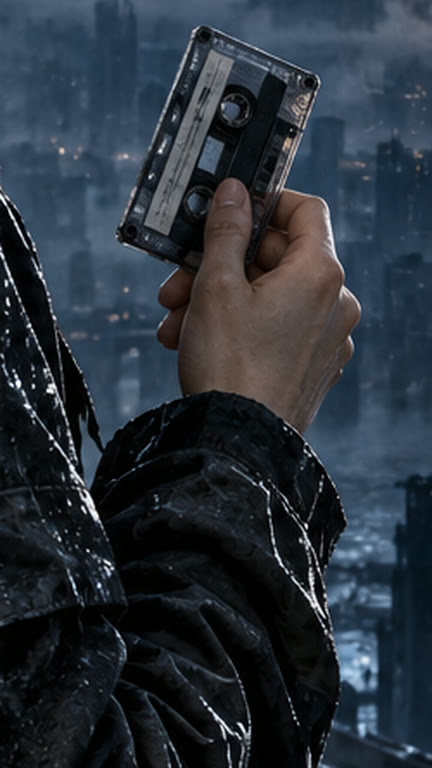
Ruth turns over the cassette. Tomorrow’s date is on the label.
RUTH (ON TAPE)
Don’t trust the man under the broken light.
@Ruth@Rooftop@Cassette
02
A series bible that stays linked to the page
Create characters, locations and props as you write and tag them in the scene. The same references follow the scene into boards, staging and the shoot, so nobody rebuilds them.
RuthCharacter
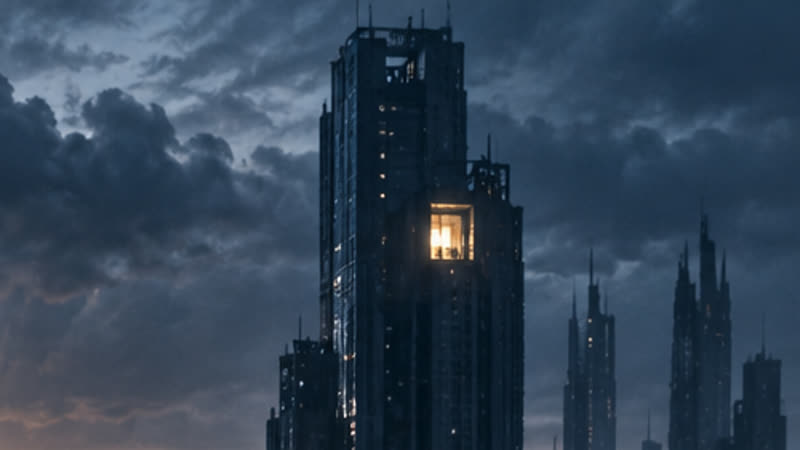
Archive towerLocation
CassetteProp
Neon noirLook
03
A breakdown the crew can start from
Each episode breaks down into scenes and shots with the cast, locations and props each one needs. CineBoard opens with that list, so planning starts from the draft everyone approved.
Episode 01 · Scene 03 · Breakdown
3A
Wide · Ruth on the rooftop, the city below
3B
Insert · The cassette, tomorrow’s date
3C
Close-up · Ruth hears her own voice
Cast
Ruth
Location
Archive rooftop, night
Concept panels with sample projects. Layouts in the studio may differ.
From premise to producer pitch
FreeWrite one microdrama series, up to three episodes, in the screenplay editor without the built-in AI.
Solo · $15 a monthAll nine stages for one person, with 800 Cinerama Credits a month to plan, draft, revise and review.
Studio · $39 a monthCineScript and the other eight Cine stages, with 2,000 Cinerama Credits a month.
01
Generate a first draft from an idea
Start with a logline, genre, episode count and target runtime. Develop a season outline, map each episode’s opening hook and cliffhanger, then turn the beats into screenplay scenes.
A night archivist finds a recording of her own voice dated tomorrow.
02
Write and revise by scene
Edit scene headings, action and dialogue in screenplay format. Revise a selected scene or line, compare versions, and keep the changes that serve the story.
Revision note · Open on Ruth hearing her own voice, then reveal the date.
03
Create and tag characters and assets
Create character profiles, locations and props as you write. Tag them directly in a scene and link reference images, background art or wardrobe so the same references carry into production.
@Ruth · @Archive rooftop · @Cassette · night exterior reference
04
Test the script before production
Review the draft for a slow opening, unclear motivation, missing setup, continuity gaps and weak cliffhangers. Get scene-specific notes and use them to plan your next revision.
Episode 1 review · Establish why Ruth trusts the recording before she follows its warning.
05
Pitch directly to microdrama producers
Prepare a producer-ready pitch from the draft and share it immediately with a producer you choose. Include the logline, format, season arc, character references and a sample episode.
Pitch preview · The Last Light · Vertical thriller · Logline, season outline and pilot script
06
Hand the draft to production
Assign a scriptwriter or run the workflow yourself. Carry the approved scenes, cast, locations and props into CineBoard so shot planning starts with the draft everyone reviewed.
Yes. Paste or type the screenplay into an episode and break it down from there. The built-in AI is optional: the editor, the series bible and the breakdown hand-off work without spending a credit.
Can I use CineScript without the other stages?
Yes. Every Cine stage works on its own, on Free for one series, and on every paid plan, where all nine stages are open.
Is there a free plan?
Yes. Free includes all nine stages on the first season of one series, up to three episodes, for as long as you like, with 100 starter credits to try every model.
Can I use my own AI accounts?
Yes, on every paid plan. Connect your own key for any model or provider; that work is billed by them and uses no Cinerama Credits.
Start with CineScript. Add the rest when you need it.

 Ruth
 Archive tower
 Cassette
 Neon noir


