Live and generated takes on one timeline
Cut the footage from set and the rendered shots together, with separate tracks for picture and audio. The episode never leaves Cinerama to be assembled.
Build the episode on one timeline.
Cut live-action footage and AI takes together, shape the pacing and lock the picture for sound, localization and delivery.
Cut the footage from set and the rendered shots together, with separate tracks for picture and audio. The episode never leaves Cinerama to be assembled.
A microdrama is won in the first three seconds and the last three. Reorder, trim and hold shots until the opening lands and the ending makes the next episode hard to skip.
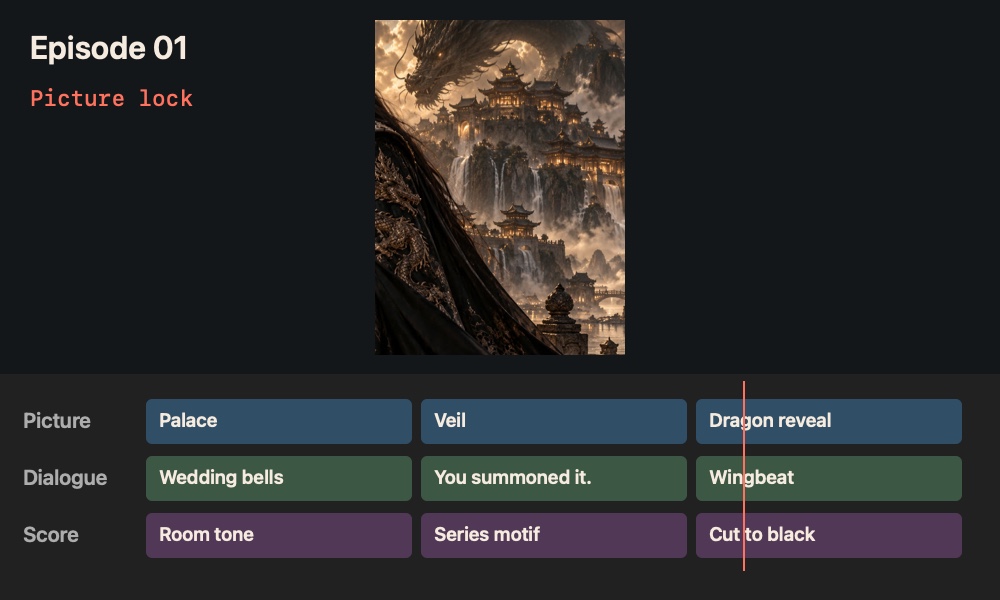
The locked cut becomes the timing reference for the mix and the subtitles. If you finish in another editor, export the timeline with its media and carry on there.
Episode 01 · Picture lock
Concept panels with sample projects. Layouts in the studio may differ.
Place selected takes on a timeline with separate tracks for picture and audio.
Adjust the order and duration of shots so the opening lands quickly and the final reveal has room to breathe.
Use the locked cut to anchor the final mix and subtitle timing.
What you get A locked episode cut with a shared timing reference.
Built into the stage, with nothing to connect.
Nine stages, one episode. CineEdit works on its own, and it also picks up what the stage before it made.
Optional, and paid in Cinerama Credits, which come with every paid plan. CineEdit works by hand without them.
Cutting, rendering the episode and exporting the timeline carry no generation charge.
You see the price before each spend. Every model and price
Yes. Export the timeline as OTIO, FCP7 XML or MLT with a package of its media, and open it in the editor you already use.
Yes. Every Cine stage works on its own, on Free for one series, and on every paid plan, where all nine stages are open.
Yes. Free includes all nine stages on the first season of one series, up to three episodes, for as long as you like, with 100 starter credits to try every model.
Yes, on every paid plan. Connect your own key for any model or provider; that work is billed by them and uses no Cinerama Credits.